

Keeping your contact information up-to-date is essential for account security and receiving important notifications. On PeerLoot, you can easily change your registered email address or phone number directly from your account settings.
Security Precaution: Temporary Withdrawal Hold #
To protect your account from unauthorized access, please be aware of the following security measure:
After you successfully change your email address or phone number, a temporary 48-hour hold will be placed on all withdrawals from your account.
This is a crucial security feature designed to give you time to react and contact us if you did not authorize the change. After the 48-hour grace period has passed, your ability to withdraw funds will be automatically restored.
How to Change Your Contact Information #
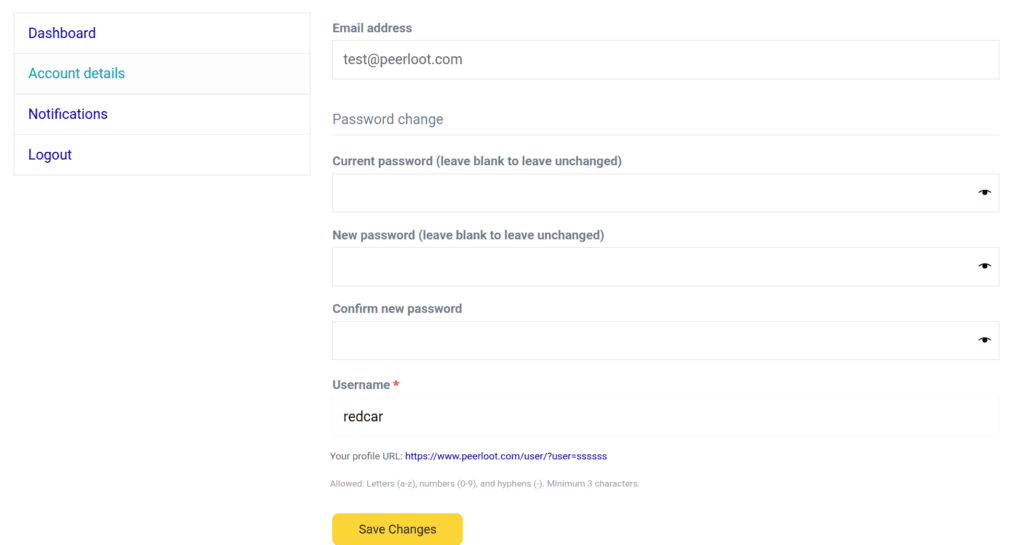
- Navigate to your “Account Details“ page. By clicking top right user profile icon.
- In the account details section, you will see your current email address.
For Email Changes: #
- When you enter a new email address and click “Save Changes”, a confirmation email containing a verification link is sent to the new email address you provided.
- You must click the link in that email to prove you have access to the new address.
- Once you click the link, your email address will be updated, and the 48-hour withdrawal hold will begin.
By following these steps, you can ensure your account information is always current while remaining protected by our security protocols.


